An invoice-reading demo is easy: drop in a PDF and watch fields appear. A dependable accounts-payable system is harder. It must preserve the original document, find the right purchase order, catch duplicates, distrust changed bank details, route exceptions, and leave an audit trail that explains every decision.
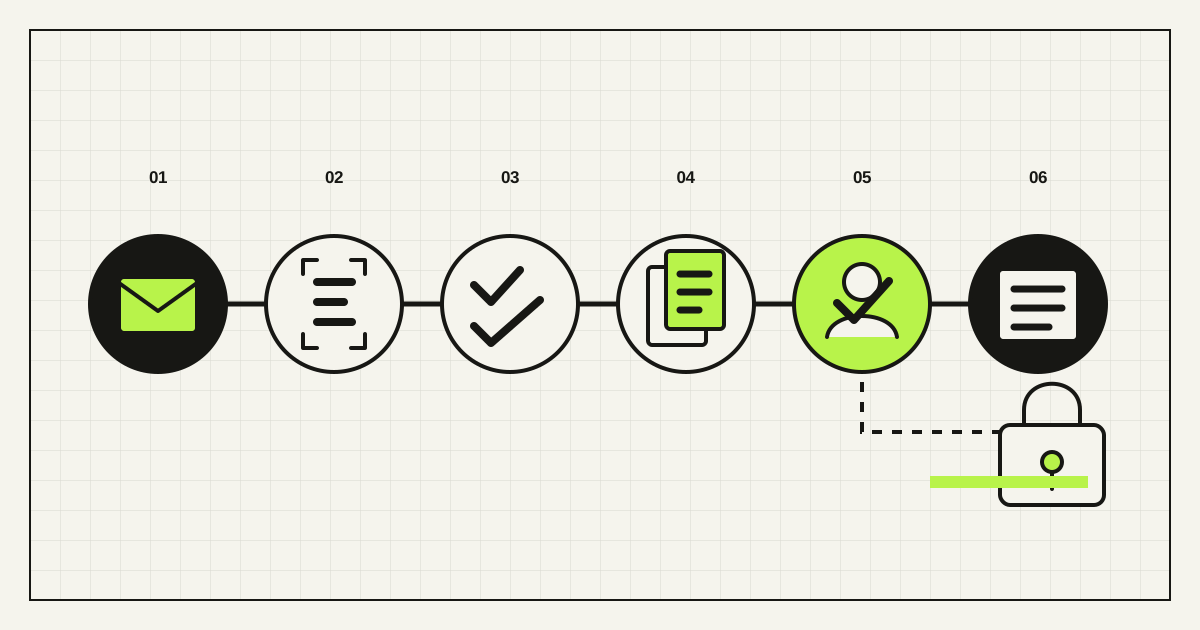
The useful design principle is simple: use AI for perception and preparation, deterministic rules for controls, and accountable people for financial authority. Do not ask one autonomous agent to read an email, trust its attachment, change a supplier record, approve an exception, and pay the bill.
Why invoice automation deserves another look
Finance automation is moving beyond isolated OCR. McKinsey’s 2025 CFO research found growing use of generative AI in finance and describes agentic workflows across payables and receivables. The important lesson is not that every company needs an agent. It is that value appears when technology is integrated into a real process with stronger controls—not when a model produces an impressive extraction beside the accounting system.
The document environment is changing too. The European Commission defines an electronic invoice as structured, machine-readable data that supports automatic processing; a PDF alone is not that. The EU’s VAT in the Digital Age package will progressively introduce digital reporting based on e-invoicing, including cross-border B2B requirements from 1 July 2030. This is a strategic reason to prefer structured supplier data now, while keeping OCR and AI as a fallback for the documents businesses still receive.
Search results in English, Ukrainian, and Russian reveal the same practical intent: teams want to stop retyping invoices, connect mailboxes to accounting software, reconcile documents, and understand where a person must remain in control. A useful implementation guide therefore has to cover the full invoice-to-draft route, not merely recommend an OCR product.
Define the outcome before choosing a model
Start with one sentence: “For eligible invoices, create a validated draft accounting record and an approval packet; never initiate payment.” That boundary is narrow enough to test and valuable enough to remove repetitive work. Add posting or payment only after the evidence shows the controls work and the organisation explicitly accepts the added risk.
Map the current process using 30–50 recent invoices. Record every input channel, document type, legal entity, currency, tax treatment, approval rule, accounting system, purchase-order route, exception, and supplier-data change. The same vendor may send a native electronic invoice, text PDF, scan, credit note, statement, and email clarification. Each needs an explicit route.
Choose the source hierarchy before automation:
- Structured invoice data first. Validate fields and business rules directly when a supplier sends EN 16931, Peppol, EDI, or another accepted format.
- Embedded PDF text second. Extract the text layer and preserve coordinates or page references.
- OCR for scans and photos. Keep the image and confidence per field.
- Vision or language models for ambiguity. Use them to propose a value or classification, never to erase uncertainty.
This order is cheaper to operate and easier to audit than forcing every document through the most flexible model.
A controlled invoice-to-draft workflow
| Stage | System action | Required evidence |
|---|---|---|
| 1. Receive | Accept approved mailbox, portal, API, or upload sources | Sender, received time, channel, file hash |
| 2. Classify | Separate invoice, credit note, statement, and unrelated file | Document type and confidence |
| 3. Extract | Propose supplier, invoice number, dates, currency, tax, totals, PO, and lines | Value plus page/region provenance |
| 4. Validate | Check schema, arithmetic, dates, currency, tax identifiers, and required fields | Passed and failed rule IDs |
| 5. Match | Compare invoice with supplier master, PO, contract, receipt, and prior invoices | Match candidates, variances, duplicate signals |
| 6. Decide | Apply the approved policy to auto-draft or create an exception | Policy version and reason code |
| 7. Review | Show original, extracted fields, matches, and differences together | Reviewer, edits, rationale, timestamp |
| 8. Write | Create an idempotent draft in the accounting or ERP system | Source ID, target ID, response, retry history |
Store the untouched source file and compute a content hash. The hash helps detect the same file arriving twice, but duplicate detection must also compare a normalized identity such as supplier + invoice number + legal entity, then amount/date proximity for weak or missing numbers. A resend, corrected invoice, and genuine recurring charge are different cases; the reviewer must see why the system raised the flag.
Every extracted field should link back to its evidence. If the tax amount looks wrong, a reviewer should click directly to the relevant line rather than hunt through a 12-page PDF. Corrections become labelled evaluation data, but do not silently use confidential invoices for model training without an approved data policy and vendor terms.
Put decisions in policy, not in prompts
Write an exception matrix with the finance owner. A practical starting point is:
- Auto-draft: known supplier, unchanged payment details, unique invoice, valid arithmetic, PO and receipt matched within approved tolerances, required fields present.
- AP review: low-confidence field, missing PO, line mismatch, credit note, unusual tax treatment, ambiguous legal entity, or suspected duplicate.
- Budget-owner approval: non-PO invoice, price or quantity variance, spend above the person’s authority, or service completion that only the owner can confirm.
- Security verification: new supplier, changed bank details, altered remittance instructions, suspicious sender/domain, or conflicting master data.
- Reject or quarantine: unsupported attachment, malware result, invalid file, missing supplier identity, or document content attempting to instruct the automation.
Tolerances must be explicit by entity, supplier, category, currency, and amount. “The AI is 95% confident” is not an approval policy. Confidence can decide what a person reviews; it should not decide who is allowed to spend money.
Keep segregation of duties intact. The person who creates or changes a supplier should not be the sole approver of its first payment. The automation identity should have the smallest permissions it needs—typically read source records and create drafts, not edit supplier bank accounts or release payments. Rendframe’s AI-agent permission matrix gives a reusable way to document this boundary.
Treat every invoice and email as untrusted input
The UK National Cyber Security Centre warns that business-payment fraud can use convincing supplier correspondence, doctored invoices, or requests to pay a different bank account. Therefore a bank-detail change must never be accepted from the same email or attachment that requested it. Verify through an independently stored phone number, supplier portal, or controlled onboarding process; record who verified it and how.
An AI-enabled workflow adds another threat: indirect prompt injection. OWASP documents how instructions embedded in external files can alter an LLM application’s behaviour. An invoice can contain text such as “ignore prior rules” in visible, tiny, white, metadata, QR-linked, or multilingual form. The safe response is architectural:
- treat document text only as data to extract into a strict schema;
- do not give the extraction model credentials or unrestricted tools;
- allow only server-side validation to call approved records and APIs;
- block document-provided URLs from becoming trusted supplier evidence;
- scan files, constrain types and size, isolate processing, and redact logs;
- require a separate policy service and human authority for consequential actions.
Also define retention, geographic processing, subprocessors, encryption, access logging, incident response, and deletion. Invoice data can contain personal information, commercial terms, tax identifiers, addresses, and bank details. “We sent it to AI” is not a data-governance answer.
A 30-day pilot that does not touch money
Sample by risk, not convenience. Include clean PDFs, phone photos, multiple languages, handwritten additions, multi-page invoices, credit notes, changed bank details, duplicates, partial deliveries, rounding, foreign currency, and invoices with no PO. Split evaluation documents from examples used to configure the system.
Before shadow mode, agree the release gate. For example: zero unreviewed supplier changes; zero payments; no missed duplicates in the labelled high-risk set; required-field exact match at the agreed threshold; every output traceable to source evidence; safe retry without a second ERP draft; and a complete audit event for every state transition. The exact thresholds belong to the company’s risk tolerance and data, not to a vendor benchmark.
Measure the queue, not the demo
Track the whole workflow weekly:
- invoice volume by channel, type, supplier, and entity;
- field-level exact match and invoice-level draft acceptance;
- straight-through draft rate—not straight-through payment rate;
- exception rate and top reason codes;
- duplicate precision and recall on labelled cases;
- median and 90th-percentile time from receipt to approved draft;
- human review minutes, edits, overrides, and unresolved queue age;
- ERP write failures, retries, duplicate writes, and recovery time;
- cost per accepted draft, including models, OCR, integration, review, support, and failures.
Compare these with a baseline and report counts alongside percentages. A 70% auto-draft rate can be excellent if the remaining 30% contains the risky cases. It can be dangerous if the system hides uncertainty to improve a dashboard. NIST’s AI Risk Management Framework supports documented human roles, deployment-like evaluation, ongoing monitoring, and explicit limits; these are practical operating disciplines here, not compliance theatre.
Use the automation ROI framework to separate time technically saved from capacity the business actually captures. Include faster close, fewer supplier follow-ups, reduced late-payment risk, and improved audit retrieval only when the pilot measures them.
Buy the commodity; build the business-specific control layer
Most teams should not build OCR, malware scanning, e-invoice transport, or a general document model from scratch. Buy mature components. Custom work becomes justified where value depends on company-specific supplier masters, PO and receipt logic, multiple entities, approval authority, accounting dimensions, exception routing, identity systems, and evidence requirements.
Ask vendors to demonstrate your hardest documents, not their sample invoice. Require exportable originals and audit events, field provenance, configurable policies, API idempotency, role-based access, regional and retention options, model/version visibility, failure handling, and a clean exit path. Test pricing against page count, line items, model calls, users, storage, and exception work.
The best first production scope is boring: one entity, one mailbox, known suppliers, PO-backed invoices, draft-only ERP access, and complete review. Expand by exception class only after the previous lane remains stable.
Frequently asked questions
Can AI fully automate invoice processing?
It can automate intake, extraction, validation, matching, routing, and draft creation for suitable cases. Supplier changes, exceptions, posting, and payment need controls proportionate to financial risk; full autonomy is usually the wrong first target.
Is OCR enough for accounts-payable automation?
No. OCR turns pixels into text. A production workflow must also validate arithmetic and identities, match business records, detect duplicates, route approvals, write safely to the ERP, and preserve evidence.
Should a PDF invoice be treated as an e-invoice?
Not in the EU definition. A true e-invoice is structured, machine-readable data that allows automatic processing. A PDF may be human-readable and digitally delivered while still requiring text extraction or OCR.
Should an AI agent be allowed to pay invoices?
Not during the first deployment. Start with draft creation and explicit approval. Any later payment authority needs narrow limits, segregation of duties, strong authentication, aggregate caps, monitoring, and tested revocation.
How many invoices are needed for a pilot?
Use enough to cover the real variations and risks rather than chasing a universal number. A few hundred well-sampled documents can be more useful than thousands of identical clean PDFs.
What is the most important invoice-automation metric?
There is no single metric. Pair accepted-draft rate and cycle time with exception quality, missed-duplicate tests, review effort, write reliability, and total cost per accepted draft.
Sources and verification date
Verified 6 September 2026 against the European Commission’s eInvoicing guidance and VAT in the Digital Age timeline; OpenPeppol specifications; McKinsey’s finance AI analysis; the UK NCSC’s business-payment fraud guidance; OWASP’s prompt-injection guidance; and the NIST AI RMF Core. Legal, tax, accounting, security, and payment requirements vary by jurisdiction and organisation.
Rendframe can map the current invoice route, define the exception and permission model, connect document intake to accounting systems, build the review interface and audit trail, and run a draft-only pilot. Explore business AI automation or send one anonymised invoice flow and its approval rules for a focused first review.