Have a Ukrainian-language recording from Zoom, Teams, or a phone and no desire to type it out for an hour? The simplest approach is to transcribe it automatically, check the names, numbers, and agreements, then ask AI for a short meeting summary.
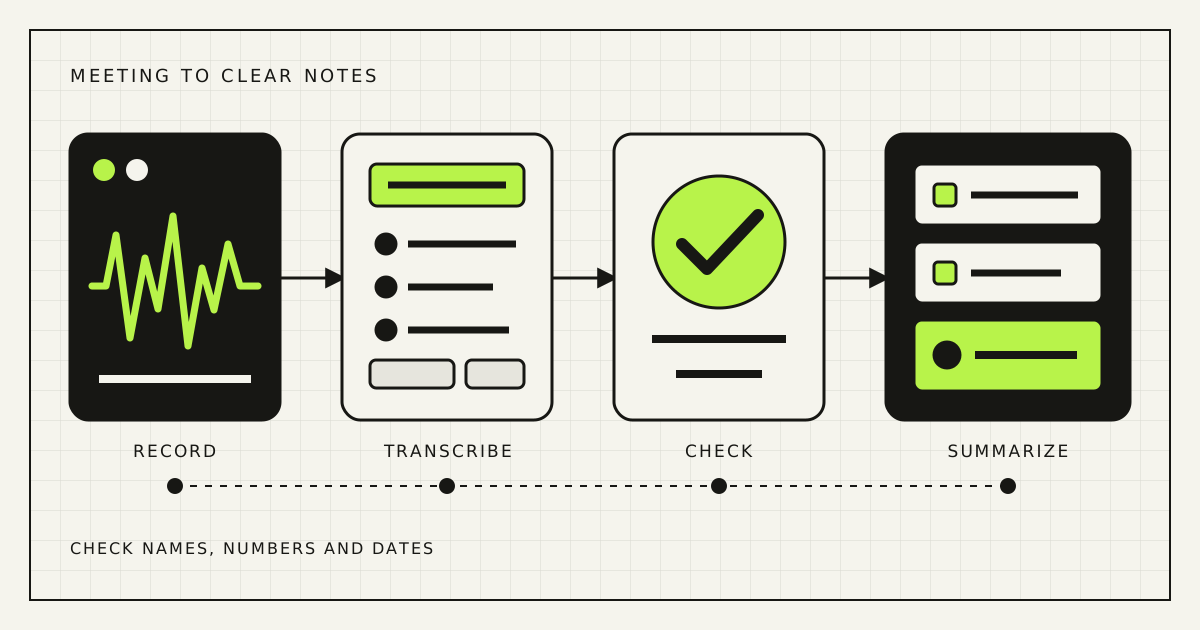
Most work calls need only four steps: record, transcribe, check, and shorten. You do not need a complex automation or a CRM integration on day one. First find out whether the service understands your Ukrainian speakers, product names, and mixed-language conversations.
Which transcription option to choose
If the meeting already happens in Teams or Zoom, check the built-in transcript first. It requires the fewest extra steps. Microsoft and Zoom list Ukrainian among their supported transcription languages, although availability depends on your plan and account settings.
For a separate audio file, use a speech-to-text service or a tool based on Whisper. Companies with many recurring calls often use an API to collect each recording and save the transcript in the right place automatically.
| Option | Good fit | What to check |
|---|---|---|
| Zoom or Teams transcript | Most meetings use one platform | Plan, Ukrainian support, and access to recordings |
| Upload audio to a transcription service | A few recordings each month | The file goes to another provider |
| Custom API automation | Many calls and notes must reach other work tools | Setup, access control, and ongoing support |
Do not choose a service from an advertised accuracy percentage. Test three of your own recordings: a quiet online meeting, a phone call, and a conversation that switches between Ukrainian, Russian, and English. Compare the time needed to correct each result.
How to record clearer audio
Even a strong model will struggle with a distant speaker, café noise, or two people talking at once. Move the laptop closer, use a headset, turn off background music, and ask people not to speak over each other. Keep the original recording instead of a compressed messenger copy.
Prepare a short list of surnames, company names, products, cities, and abbreviations before the meeting. Some services accept these words as hints. If yours does not, the list still makes corrections much faster.
How to transcribe the meeting step by step
- Tell participants that recording is on. Make the notice clear.
- Upload the file or enable the transcript. Select Ukrainian if the service asks for a language.
- Wait for a transcript with timestamps. Timestamps let you return to a doubtful passage quickly.
- Check names, numbers, dates, and negation. A wrong amount, deadline, or missing “not” can reverse the meaning.
- Save the corrected version. Use this text, not the raw transcript, for the AI summary.
You usually do not need to correct every comma. For internal notes, it matters more that decisions, amounts, deadlines, and owners are accurate.
A prompt for the meeting summary
Create a short English summary of this meeting.

Use this structure:
1. What the meeting covered, in no more than five sentences.
2. Decisions made.
3. Tasks agreed.
4. Named owner and stated due date for each task.
5. Questions that remain open.

Do not invent owners, deadlines, amounts, or decisions.
If the transcript does not provide something, write "not stated".
Add a timestamp for every important agreement.
Change the structure for the type of call. For a sales call, ask separately for the customer's problems, objections, and agreed next step. For an internal team meeting, decisions, tasks, and open questions are usually enough.
What you must check
- Did AI turn a suggestion into a final decision?
- Are surnames, amounts, dates, and product names correct?
- Did the named person really accept the task?
- Did the summary add a deadline that nobody mentioned?
- Does it contain personal or sensitive information that is not needed?
Review the first ten summaries in full. If the same mistake keeps appearing, change the prompt or test another service. Only then consider creating tasks in Notion, ClickUp, or your CRM automatically.
How to handle sensitive calls
A recording may contain voices, phone numbers, commercial terms, and personal data. Check where the provider stores files, who can access them, whether content is used to train models, and how deletion works. A normal consumer account may be unsuitable for medical, legal, employment, or financial conversations.
Do not keep audio forever by default. Set separate retention periods for the recording, transcript, and final summary. If the team only needs a task list, there may be no reason to store the full audio for years.
Once the manual approach works, Rendframe can connect recording, transcription, review, and work tools without constant copying. See how we build practical business automation.
Quick answers
Can I transcribe Ukrainian audio for free?
Yes. Some services offer a free allowance or trial. For regular work, compare privacy, timestamps, and accuracy on your own recordings as well as price.
Does Whisper understand Ukrainian?
Yes. Models in the Whisper family support Ukrainian speech. Results still depend on audio quality, accents, specialist terms, and overlapping speakers.
How do I turn a recording into a task list?
Generate and correct the transcript first. Then ask AI to extract only explicitly agreed tasks, owners, and due dates. Missing information should be marked “not stated”.