A website migration is not complete when the new homepage loads. It is complete when valuable old URLs have a deliberate destination, customers can still finish important tasks, search engines receive consistent signals, and the team can prove that nothing material disappeared.
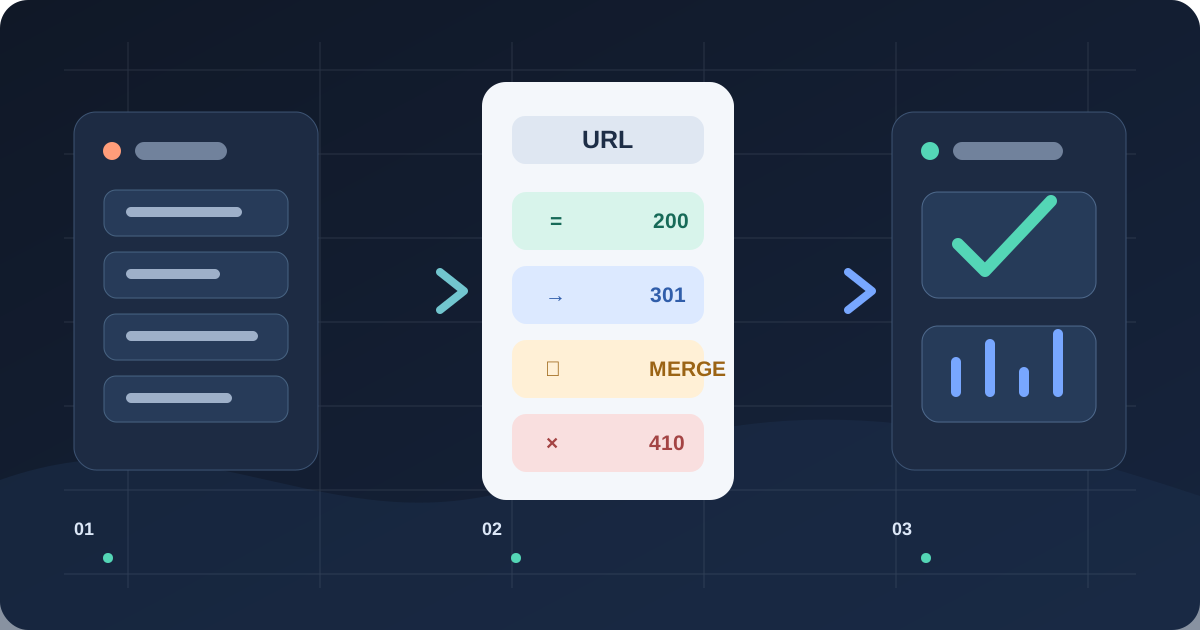
The safest plan is simple: change only what the project requires, map every valuable URL before launch, test the new page and its redirect as one unit, and define rollback conditions while rollback is still possible. Rankings may fluctuate while search engines recrawl. That is different from preventable loss caused by 404s, blocked pages, missing content, or conflicting canonical signals.
First define what is actually moving
“New website” can mean a hosting change with stable URLs, a CMS replacement, a redesign, a new domain, a new information architecture, or all five at once. These are not the same risk. Google’s site-move guidance recommends changing one major thing at a time where practical. If a domain, CMS, copy, navigation, and measurement setup all change together, a traffic drop becomes difficult to diagnose and harder to reverse.
Write a one-page migration charter. Record the reason, in-scope properties and languages, launch window, business owner, technical owner, SEO owner, analytics owner, customer-critical journeys, change freeze, rollback authority, and the last moment when reverting remains safe. State what will not change. A hosting move rarely needs new paths; a rebrand rarely needs every product description rewritten on launch day.
Save the baseline before anyone switches DNS: organic landing-page sessions and conversions, Search Console clicks and impressions, indexed-page patterns, top backlinks, paid landing pages, form and checkout completion, page speed, server errors, and a crawl of the current site. Export data by page, device, country, and search type where volume permits. The baseline is not a promise that every number stays flat; it is the evidence needed to separate normal reprocessing from a broken release.
Build one URL ledger, not several spreadsheets
Start with URLs from the XML sitemap, CMS or product database, analytics, Search Console, server logs, backlink reports, paid campaigns, and support documentation. Google explicitly recommends combining sources because no single list is complete. Include images, downloadable files, campaign pages, subdomains, parameter patterns, and URLs that still receive visits even if the current navigation no longer links to them.
| Field | Decision | Acceptance evidence |
|---|---|---|
| Old URL | Preserve, redirect, merge, 404, or 410 | Current status and traffic source recorded |
| New URL | One closest equivalent, or none | Final page returns 200 and is indexable |
| Page contract | Intent, content, metadata, locale, function | Named reviewer signs off |
| Redirect | 301 or 308 for a permanent move | One hop to the final canonical URL |
| Business path | Form, checkout, login, download, phone | Real transaction or controlled test succeeds |
| Owner | Person accountable for exception | Issue has severity and deadline |
Do not send every deleted page to the homepage. Google warns that irrelevant mass redirects can be treated as soft 404s. Redirect a page to the closest replacement when that replacement satisfies the same intent. If no honest equivalent exists, return a real 404 or 410, remove the old URL from internal links and sitemaps, and offer useful navigation on the error page.
Prioritise the ledger by business value, not merely by URL count. A forgotten pricing page, product feed destination, partner integration callback, or language landing page may matter more than thousands of filtered category URLs. Mark the top tier and require zero unresolved critical rows before launch.
Preserve what each page promises
A URL can return 200 and still be functionally lost. For every important page, compare the old and new intent, primary content, title and description, headings, canonical URL, indexability, structured data, internal links, images, downloadable assets, language alternates, and conversion action. For ecommerce, also compare product identifiers, variants, price, availability, currency, shipping and return information, reviews, Merchant Center feed URLs, and the full cart-to-payment path.
Test rendered HTML, not just a browser screenshot. Confirm that essential copy and links are available to crawlers, structured data matches visible facts, robots rules allow production pages, and staging-only noindex directives are removed at release. Keep staging protected before launch, but prepare the exact production robots.txt and meta rules in advance.
Keep canonical, sitemap, internal-link, hreflang, feed, and redirect destinations aligned on the same preferred URL. A redirect to one address while the page declares another canonical forces search engines to resolve a contradiction. Update internal links directly rather than relying on redirects forever; this improves speed and removes avoidable crawl work.
Treat redirects as tested product behaviour
Use server-side permanent redirects—normally 301 or 308—for permanent moves. Point old URLs directly to their final destinations and avoid chains or loops. Google says permanent redirects do not lose PageRank and recommends retaining migration redirects for at least a year; for users and durable backlinks, keeping them indefinitely is often sensible.
Generate redirect rules from the approved ledger, then test the complete list in an environment that matches production. Check status, destination, hop count, query-string behaviour, uppercase and trailing-slash variants, encoded characters, locale prefixes, files, and representative parameters. A wildcard rule is efficient only when the old and new structures truly correspond. Sample rules manually and test critical rows separately after deployment.
Redirect tests should fail the release when a valuable old URL returns 404, reaches an irrelevant page, loops, chains unnecessarily, or lands on a non-indexable destination. Also crawl the new site to find internal links that still point through redirects. Redirects protect external and remembered addresses; internal navigation should use final URLs.
Use launch gates and a reversible sequence
Launch during a lower-risk business window with the people who can change application, CDN, DNS, analytics, payments, and search settings available. Lower traffic alone is not enough; an unattended Friday-night release is not controlled. Reduce DNS time-to-live in advance if the domain or hosting change requires it, confirm certificate coverage, keep the old environment available, and write the exact rollback steps.
Define stop conditions before launch: checkout or forms fail; critical routes return errors; production remains noindex; robots blocks valuable areas; redirects are broadly missing; canonical tags point to staging or the old host; analytics stops collecting; or the team cannot distinguish real customers from tests. A rollback is a planned control, not an admission of failure.
For a domain move, verify old and new properties in Search Console. Google’s current guidance says to submit Change of Address for all relevant verified variants, including applicable subdomains and www/non-www versions. Submit the new sitemap. Keep the old sitemap available during transition if it helps monitoring, but ensure it lists the old addresses consistently. Notify other search engines through their supported tools; Bing’s guidance also calls for permanent redirects and clean updates to moved or deleted URLs.
Measure recovery by cohorts, not one headline
In the first 24 hours, watch application and CDN errors, redirect misses, bot access, sitemap retrieval, structured-data failures, form and payment events, and the highest-value old URLs. In the first week, compare old and new URL cohorts in Search Console and server logs. Look for old pages still receiving search impressions without a valid destination, new pages excluded by canonical or noindex, unexpected soft 404s, and important pages that are not being crawled.
Review again at 30, 60, and 90 days. Separate branded from non-branded queries, page types, locales, devices, and markets. Track whether old-URL traffic falls while corresponding new-URL traffic rises. Google notes that small or medium sites can take weeks for most pages to move and larger sites longer, so daily panic is unhelpful. Persistent gaps concentrated in a template or directory are actionable.
Use thresholds rather than promises: zero broken critical journeys; zero indexable staging URLs; no unresolved top-tier redirect failures; sitemap fetch succeeds; the share of valid new pages crawled trends upward; and organic conversions are assessed against seasonality and prior variability. Do not declare success from rankings alone if leads, orders, or revenue tracking broke.
Extra controls for ecommerce and multilingual sites
An ecommerce migration has three synchronized records: the website, structured data, and merchant feed. Their URL, identifier, price, availability, currency, shipping and return facts must agree. Preserve stable product identifiers and variant relationships where possible. Test cart persistence, coupons, taxes, delivery options, payment callbacks, confirmation pages, transactional email, inventory updates, and refund flows.
A multilingual migration needs a row for every locale. Do not redirect all Ukrainian or Russian pages to an English homepage. Each language page should point to the appropriate equivalent, declare a self-referencing canonical, and participate in a complete reciprocal hreflang set. Google requires each localized version to list itself and its alternates. Check language switching, translated metadata, localized navigation, and whether retired translations have an honest destination.
The limitation is important: no checklist can guarantee unchanged rankings. Algorithms, competitors, seasonality, content changes, and crawl timing remain outside the team’s control. A good migration reduces avoidable ambiguity, shortens diagnosis, and protects the customer journey while search systems process the move.
Frequently asked questions
Can a site migrate without losing SEO traffic?
Temporary fluctuation is normal, and no agency can guarantee identical rankings. Preserving useful pages, mapping URLs one to one, using permanent redirects, aligning canonical and sitemap signals, and monitoring cohorts materially reduces preventable loss.
How long should 301 redirects remain?
Google recommends at least one year for a site move. Keep valuable redirects longer when customers, bookmarks, campaigns, or backlinks may still use the old addresses.
Should a redesign and domain change launch together?
Only when the business constraint outweighs the diagnostic risk. Google advises changing one major thing at a time where practical. Separating the domain move from major design and content changes makes problems easier to identify.
What should trigger a rollback?
Rollback when critical transactions fail, production is blocked from indexing, high-value redirects are broadly absent, core signals point to the wrong host, or the team cannot observe the release reliably.
Sources and verification date
Verified 9 September 2026 against Google Search Central’s site-move guidance, localized-page guidance, and ecommerce structured-data guidance, plus the official Bing Webmaster Guidelines. Search recovery varies by site, demand, crawl capacity, and the scale of change.
Planning a redesign, CMS replacement, or domain move? Rendframe can build the URL ledger, migration tests, redirects, observability, and rollback runbook with your team. Explore product engineering or request a migration risk review.